 Skip to content
Folks, let me tell ya – when it comes to securing government facilities, we’ve come a long way from the ol’ tumbler locks and master key systems. The game has changed, and smart locks for government buildings are leading the charge with some seriously impressive tech that’ll make any security director sleep better at night.
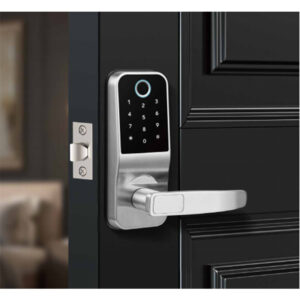
1. Introduction to Smart Locks for Government Buildings
Understanding the Need for Advanced Security
Government buildings aren’t your grandma’s linen closet – we’re talking about facilities housing sensitive data, expensive equipment, and sometimes even matters of national security. Traditional locks simply can’t keep up with today’s sophisticated threat landscape where bad actors are using everything from lockpicks to cyberattacks to gain unauthorized entry. The reality is, mechanical locks are about as useful against modern intruders as a screen door on a submarine.
How Smart Locks Enhance Government Building Protection
These aren’t your average door doodads – smart locks for government buildings incorporate multiple layers of protection that would make Fort Knox jealous. We’re talking about systems that can detect tampering attempts, require multi-factor authentication, and can be remotely monitored and controlled from a centralized security operations center. They don’t just lock doors; they create intelligent barriers that adapt to evolving security threats in real-time.
Key Benefits Over Traditional Locking Systems
Beyond just keeping the bad guys out, these systems offer some sweet perks that’ll make any facilities manager do a happy dance. No more worrying about lost keys floating around or former employees still having access – smart systems let you revoke credentials with the click of a button. Plus, the audit trails provide documentation that would make any inspector smile, showing exactly who accessed what and when, down to the millisecond.
2. The Growing Demand for Smart Locks for Government Buildings
Rising Security Threats and Digital Solutions
Listen up, because this is important – security threats ain’t what they used to be. Nowadays, we’re dealing with everything from sophisticated cyber-physical attacks to good old-fashioned social engineering schemes. Smart locks for government buildings provide a necessary evolution in protection, combining robust physical security with cutting-edge digital safeguards that can keep pace with these ever-changing threats.
Government Regulations and Compliance Requirements
Here’s the deal – government facilities operate under a whole different set of rules than your average office building. Between FIPS standards, HSPD-12 requirements, and various other alphabet soup regulations, compliance is non-negotiable. These smart locking systems are designed from the ground up to check all the necessary boxes, ensuring your facility won’t end up on the wrong side of an audit report.
Cost-Effectiveness and Long-Term Savings
Now I know what you’re thinking – “This sounds expensive.” But hear me out. While the upfront cost might make your accounting department sweat, the long-term savings will have them doing backflips. We’re talking about significantly reduced costs for rekeying, key replacements, and lock changes every time staff turns over. Plus, the reduced manpower needed for manual security checks? That’s money in the bank, my friend.
3. How Smart Locks Work in Government Buildings
Core Technologies Behind Smart Locks (Biometrics, RFID, Bluetooth)
Let’s geek out for a sec – these systems use some slick tech that would make James Bond jealous. Biometric scanners analyze fingerprint minutiae and facial recognition points with military-grade precision, while RFID chips in access cards employ sophisticated encryption that’s tougher to crack than a bank vault. Bluetooth-enabled systems? They use AES-256 encryption – the same stuff that protects classified government communications – paired with rolling code technology to prevent replay attacks.
Integration with Existing Security Infrastructure
Here’s where the rubber meets the road – these systems don’t require tearing out your existing infrastructure like some flashy Silicon Valley solution. They’re designed to play nice with legacy systems through open API architectures and standardized communication protocols. We’re talking seamless handshake between new smart locks and your current CCTV cameras, alarm systems, and security control panels. Think of it like giving your old security system a smart brain transplant.
Remote Access and Real-Time Monitoring Capabilities
This is where the magic happens – facility managers can monitor and control access from anywhere with an internet connection, whether that’s their office workstation or a smartphone at 3AM when an alarm triggers. The system provides live updates with geotagged timestamps, and can even push notifications when someone attempts unauthorized access. It’s like having a 24/7 virtual security guard that never takes bathroom breaks or calls in sick.
4. Key Features of High-Security Smart Locks
Tamper-Proof and Anti-Picking Mechanisms
These bad boys come equipped with features that would make a master locksmith throw in the towel. We’re talking about electromagnetic shielding to prevent relay attacks, drill-resistant hardened steel components, and sophisticated sensors that detect any funny business like lockpicking, bumping, or shimming. Some models even have “intelligent” features that automatically engage additional locking bolts when tampering is detected – like a porcupine raising its quills when threatened.
Multi-Factor Authentication for Enhanced Protection
One-factor authentication is about as secure as a diary with a “Keep Out” sign in today’s threat environment. The good stuff requires multiple verification methods – maybe a biometric scan plus a PIN code, or an access card combined with facial recognition. Some ultra-secure installations even implement “stepped authentication” where different clearance levels require escalating verification – think of it like a security clearance checklist for your door.
Audit Trails and Activity Logging
This is the paper trail that makes auditors swoon – detailed logs recording every interaction with the system down to the microsecond. We’re not just talking “John Smith entered at 9:02 AM” either. These systems can log failed attempts, record which credentials were presented (even if denied), and track the exact sequence of events during any security incident. It’s like having a black box recorder for your entryways – perfect for post-incident investigations or routine compliance checks.
5. Types of Smart Locks Suitable for Government Use
Biometric Smart Locks (Fingerprint, Facial Recognition)
These ain’t your smartphone’s selfie camera – we’re talking about industrial-grade biometric systems that can distinguish between a live finger and a latex print. The latest facial recognition algorithms incorporate 3D mapping and vascular pattern recognition to prevent spoofing with photos or masks. Some high-end models even analyze microexpressions and involuntary pupil dilation to detect coercion situations – because sometimes the bad guy isn’t just trying to break in, but to be let in.
Card and Keypad-Based Smart Locks
Old-school keycards got a serious upgrade – modern systems use programmable RFID tags with rotating encryption keys that change faster than a politician’s promises. The keypads? They’re randomized, wear-resistant, and often paired with anti-shoulder-surfing tech that detects multiple fingerprints. Pro tip: Look for models with “duress codes” – special sequences that silently alert security while appearing to grant normal access. Now that’s thinking ahead.
Mobile-Controlled Locks (Bluetooth, Wi-Fi, NFC)
Your phone just became the ultimate skeleton key – but don’t worry, these systems have more failsafes than a nuclear missile silo. Bluetooth LE models only activate when in physical proximity, while Wi-Fi-enabled ones use geofencing to automatically lock down if a device leaves the premises. The real kicker? Some can detect signal jamming attempts and immediately initiate countermeasures – because nothing ruins a hacker’s day like being digitally counter-punched.
6. Customizable Solutions for Government Facilities
Scalability for Large-Scale Installations
Whether you’re securing a three-room municipal office or a sprawling federal complex, these systems grow like well-trained militia. Centralized management consoles can handle thousands of access points simultaneously, with hierarchical permission structures that’d make any bureaucrat proud. The real beauty? You can start small with critical areas and expand methodically – no need for a “big bang” rollout that leaves everyone cross-eyed.
Modular Designs for Different Building Types
Courthouses don’t secure like data centers, and armories ain’t offices – that’s why the best systems offer a “mix-and-match” approach. Swap out biometric readers for keypads in high-traffic areas, combine electromagnetic locks with mechanical backups for fail-safe operation, or install rapid-deployment lockdown systems in sensitive zones. It’s like LEGO for security nerds – but way more satisfying when the pieces click together.
OEM/ODM Flexibility for Branding and Compliance
Government procurement loves its paperwork – good news is these systems can be customized down to the firmware level to meet obscure agency standards. Want your city seal laser-etched on every reader? Need FIPS 140-2 validated encryption modules? Prefer a specific shade of bureaucratic beige? Consider it done. The real pros even offer “air-gapped” versions for SCIF environments – because sometimes you need security so tight it’s literally offline.
7. Integration with Broader Security Systems
Compatibility with Access Control Software
These locks don’t just play well with others – they’re the team captains of integrated security. Through standardized protocols like OSDP and ONVIF, they share real-time data with video management systems (hello, camera-tagging of every entry event), alarm panels, and even fire suppression systems. The advanced ones can trigger “if-this-then-that” scenarios – like automatically locking down adjacent areas when a breach is detected.
Centralized Management Through Security Hubs
Imagine controlling every secured door in a 50-story building from a single dashboard – that’s the power of modern security hubs. Multi-screen command centers display live statuses, threat heatmaps, and even predictive analytics about potential vulnerability points. The real game-changer? AI-assisted monitoring that spots unusual patterns – like someone testing multiple doors at 3 AM – before human guards would notice.
Emergency Lockdown and Override Functions
When seconds count, these systems shine brighter than a rookie agent’s polished badge. One-click lockdowns can be initiated from security stations, authorized mobile devices, or automatically via incident detection algorithms. The failsafe mechanisms are poetry in motion – battery backups, mechanical override options, and even “break glass” physical switches for when technology needs to take a backseat to good old-fashioned urgency.
8. Data Privacy and Cybersecurity Concerns
Preventing Unauthorized Digital Breaches
Let’s get real – a smart lock is only as secure as its weakest data packet. That’s why top-tier systems employ hardware security modules (HSMs) for credential storage, implement TLS 1.3 for all communications, and regularly push firmware updates faster than Congress passes continuing resolutions. The truly paranoid (read: smart) models even have “cyber kill switches” that sever network connections when intrusion attempts are detected.
Encryption Standards and Secure Protocols
We’re not talking about basic SSL here – these systems use elliptic curve cryptography that would take a quantum computer decades to crack. Credentials are hashed with SHA-3 algorithms, while communication channels employ perfect forward secrecy (meaning each session generates unique keys). Some military-grade systems go full “zero trust” – verifying every single request like it’s the first one, every time.
Compliance with Government Data Security Policies
From NIST SP 800-175B to CJIS security policies, these systems are designed by compliance nerds for compliance nightmares. Audit logs meet stringent chain-of-custody requirements, access records align with retention schedules, and all data handling follows the principle of least privilege. Bonus: Many vendors provide pre-packaged compliance documentation kits – because nobody enjoys writing 200-page SSPs from scratch.
9. User-Friendly Design Considerations
Intuitive Operation Under Stress Conditions
Let’s face it – when the fire alarm’s blaring or an active shooter situation unfolds, nobody’s reading the manual. That’s why elite systems feature color-coded interfaces (red for lockdown, green for all-clear) and tactile surfaces blindfolded operators could use. Some even incorporate voice-guided emergency protocols – because sometimes you need the system to literally talk you through a crisis.
Accessibility Compliance (ADA Standards)
These aren’t your grandpa’s ADA buttons – we’re talking about proximity sensors that detect wheelchairs from 3 feet away, voice recognition that understands impaired speech patterns, and braille interfaces that actually update dynamically. The latest models even integrate with hearing aids via telecoil technology – security shouldn’t discriminate based on ability.
Multi-Language Support for Diverse Workforces
When your security team spans from recent immigrants to career diplomats, language matters. Top systems offer real-time translation of on-screen prompts and support for non-Latin scripts (looking at you, Arabic and Mandarin characters). The real MVPs? They use pictograms intelligently – because a glowing red running man icon means “emergency exit” in any language.
10. Physical Durability and Reliability Tests
IP Ratings for Weather/Environmental Resistance
Forget dusting – these things laugh in the face of sandstorms (IP65), shrug off monsoons (IP67), and keep functioning when covered in ice (IP68). Marine-grade models even resist salt corrosion better than a Navy ship’s hull. The testing videos look like action movies – blast them with fire hoses, bury them in concrete dust, then watch them work like nothing happened.
MIL-STD-810G Certification for Extreme Conditions
This isn’t just sticker engineering – we’re talking about locks that survive 24-hour salt fog tests (-40°F to 160°F thermal cycles), 1000-hour UV exposure trials, and vibration tests simulating years of constant slamming. One manufacturer told me their prototype survived the drop test from 30 feet onto concrete – the concrete cracked first.
Redundant Power Systems and Backup Options
When the power grid fails, these systems keep working like the Doomsday Preppers of security tech. We’re talking supercapacitors that charge in seconds and last for days, mechanical override keys harder to duplicate than Fort Knox blueprints, and even kinetic energy harvesters that power the lock from the energy of opening the door. Paranoid? Maybe. Prepared? Absolutely.
11. Cost Analysis: Smart Locks vs Traditional Systems
Upfront Investment vs Long-Term Savings
Yes, the initial sticker shock could fund a small municipal project – until you realize you’re eliminating rekeying costs ($250 per incident), cutting guard patrol hours (about $35/hour per officer), and reducing insurance premiums (up to 20% discounts). One courthouse saved $87,000 annually just on lost key replacements – turns out judges misplace things too.
Maintenance Requirements Comparison
Traditional mechanical locks need lubrication, adjustment, and eventual replacement like clockwork. Smart systems? Their “maintenance” often means automatic firmware updates pushed overnight. With no moving parts to wear out (in electronic models), the only maintenance might be occasionally wiping fingerprint scanners – a job even the office intern can handle.
ROI Calculations for Different Government Levels
Small towns might recoup costs in 18 months from reduced security staffing alone. Federal facilities? Their ROI comes from preventing just one breach that could cost millions in investigations and repairs. The sweet spot’s in courthouses and city halls – one Tennessee county calculated 234% ROI over five years by integrating with their existing security cameras.
12. Installation Best Practices for Government Facilities
Phase Deployment Strategies (Pilot Programs → Full Rollout)
Think NATO expansion, not D-Day invasion—smart security implementations should roll out in waves. Start with low-risk areas like municipal office supply closets (yes, even janitorial theft adds up), then scale to sensitive records rooms. The Pentagon’s playbook? A six-phase deployment over 18 months with “break-glass” physical overrides retained at every stage.
Concealed vs Visible Mounting Considerations
Visible biometric scanners deter casual intruders like a squad car parked outside a nightclub. But for ultra-sensitive areas? Subdermal RFID implants (chipped personnel only) or disguised palm scanners masquerading as wall plates. Pro tip: One federal courthouse hid readers inside elevator control panels—would-be attackers never even found the authentication point.
Network Segmentation for Security Layers
Your HVAC system shouldn’t be on the same VLAN as door controls—that’s how hackers turn thermostats into backdoors (literally). Air-gapped backup networks with one-way data diodes prevent lock systems from becoming pivot points for broader breaches. The gold standard? Nuclear facilities using light-guard systems where data physically can’t backtrack.
13. Case Studies: Government Smart Lock Implementations
US State Department’s Biometric Embassy Upgrades
After the 2012 Benghazi attack, the Diplomatic Security Service rolled out multimodal authentication—requiring both vein pattern scans and behavioral biometrics (how you swipe the card matters). False acceptance rates dropped to 0.0001% while authorized staff gained frictionless entry. Unexpected benefit? Automated visitor logs settled 87% of parking disputes (“Your SUV was absolutely in the ambassador’s spot at 2:37 PM”).
Singapore’s Smart Police Stations
What happens when a city-state merges facial recognition with predictive analytics? Police posts with doors that unlock for officers 0.8 seconds before they reach the entrance (via gait recognition at 15m). Real-world results: 92% faster emergency gear access during crises. Skeptics called it Minority Report tech—until response times to bank heists dropped by 41%.
Oslo’s Zero-Trust Municipal Offices
Norway’s capital implemented dynamic access zones where permissions change based on:
- Employee role (planner vs accountant)
- Time of day (3 AM access triggers dual-auth)
- Threat levels (automated lockdowns if terror alerts spike) Bonus: Energy savings from AI-driven HVAC zoning based on real-time room occupancy.
14. Vendor Selection Checklist for Government Buyers
Certification Requirements (FIPS, UL, ISO)
Skip vendors who treat compliance like a participation trophy. Demand:
- FIPS 140-3 Level 3 validation (for cryptographic modules)
- UL 294 anti-tamper ratings (exceeds standard deadbolt brute force tests)
- ISO 27001 for data handling (because your vendor’s WiFi shouldn’t be the weak link)
Custom Engineering Support Availability
Can their R&D team:
- Develop a custom tamper switch for historic building door frames?
- Interface with legacy IBM AS/400 systems still running procurement?
- Deliver encrypted firmware via satellite for Arctic bases? If not, keep shopping.
Geopolitical Supply Chain Vetting
No CCP-tied semiconductor firms for DoD installations—full stop. Require:
- Hardware manufactured in Five Eyes nations
- Employee background checks exceeding TSA PreCheck
- On-site audits of third-party chip fabricators
15. Future Trends in Government Access Control
Post-Quantum Cryptography Upgrades
When quantum computers crack RSA-2048 like a walnut (estimates suggest 2028-2035), today’s encrypted credentials become as secure as a screen door. Forward-thinking agencies are already testing:
- Lattice-based cryptography (math even quantum struggles with)
- Crypto-agile systems that can switch algorithms via firmware updates
Autonomous Security Drones as Mobile Authenticators
Imagine a Lockheed Martin Indago quadcopter:
- Scans retinal patterns from 20ft away
- Dynamically adjusts building access maps during incidents
- Deploys temporary biometric checkpoints for emergency evacs
Self-Healing Materials for Tamper Resistance
MIT’s research on metamaterials that “bleed” colored gel when drilled (tagging intruders) could revolutionize secure spaces. Early prototypes:
- Shape-memory alloys snapping back after forced entry attempts
- Nano-coatings that degrade lock-picking tools at molecular level
16. Conclusion and Next Steps for Procurement Teams
Summary of Smart Locks for Government Buildings
At the end of the day, smart locks for government buildings aren’t just a fancy upgrade – they’re a necessary evolution in facility security. With their unparalleled combination of physical protection, digital integration, and compliance readiness, they represent the new gold standard in securing sensitive environments. The question isn’t whether you can afford to implement them, but whether you can afford not to.
How to Begin the Procurement Process
Getting started is easier than you might think. First steps should include assembling a cross-functional team including security, IT, and facilities personnel to assess your specific needs. Reach out to reputable manufacturers who specialize in government-grade solutions – the good ones will walk you through everything from product selection to installation without giving you the runaround.
Final Recommendations for Secure Implementations
My professional two cents? Don’t try to boil the ocean all at once. Start with a pilot program in one high-priority area, work out the kinks, then expand system-wide. And for Pete’s sake – don’t skimp on training! The fanciest system in the world won’t do squat if your people don’t know how to use it properly. Take it slow, do it right, and you’ll be sitting pretty with a security system that’s truly up to the task.